
by Thomas (K4SWL)
On Saturday, March 21, 2026, my wife and I were in Raleigh visiting our daughters. That morning, both of them had projects to finish for their classes, so I took the opportunity—of course!—to head out for a quick park activation.
When I woke up, I assumed we’d all be heading out together early to explore Raleigh, so I hadn’t planned a POTA activation at all. But with a little unexpected free time, I pulled up the map, thought about the area, and decided to head over to William B. Umstead State Park.
I had also recently been in touch with Jeff (WJ3FF). We’d talked about doing a park activation together—Jeff knows the local parks well and had even suggested a few “coffee and POTA” combinations (which, as you might imagine, is right up my alley). On my way out the door, I sent Jeff a quick email letting him know where I was headed, not knowing if he’d see it in time—or if he was even free that morning.
William B. Umstead State Park (US-2755)
 I arrived at the Reedy Creek entrance and immediately realized I wasn’t the only one with the idea to enjoy a warm Saturday morning outdoors. The main parking lot was absolutely packed. As I drove through, I didn’t see a single open spot–in this large parking area–and started to wonder if I’d need to pivot to a different location.
 Then, just as I was about to give up, a car pulled out—and I slipped right into the space. As luck would have it, it was a perfect spot, close to where I planned to set up. Woo hoo!
I’m still getting used to parks in more populated areas. Compared to my usual haunts, the number of people can feel surprising at first. But Umstead is such a large park that once you’re in it, everyone disperses—walkers, runners, cyclists, and dog owners all spreading out into the woods. It never actually felt crowded.
I set up at a picnic table I used on a previous visit. Its position relative to the trees makes antenna deployment easier, and it’s just far enough from the main foot traffic to keep things a bit quieter, with no worries about people tripping on cables and wires.
Antenna Choice
 For this activation, I used my KM4CFT end-fed half-wave antenna—a 30-meter 49:1 EFHW with a 40-meter extension.
The choice was intentional: the radio I planned to test doesn’t have an internal antenna tuner and covers four bands, so I needed something resonant.
The deployment went almost textbook. One of those deployments where everything just works the way you imagine it will.
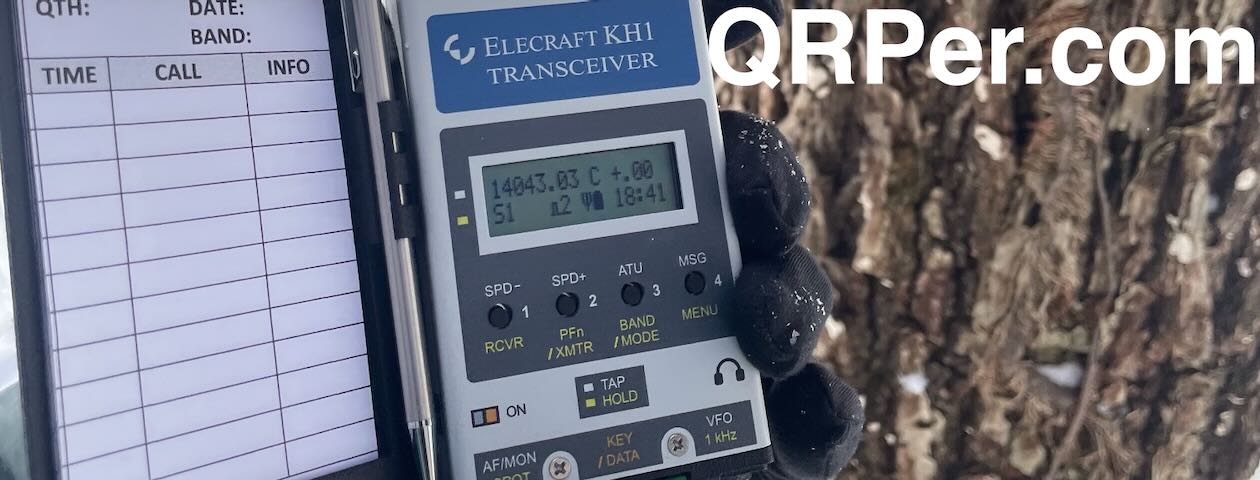
My “New” Elecraft K1
 Many of you know that one of my favorite field radios is the Elecraft K1. I already own one that I purchased a couple of years ago from a silent key I knew in the Raleigh area. It’s fully loaded—even has an internal battery pack—and it’s a joy to operate.
But as we all know, the K1 has been out of production for a long time. If you love a radio like that, it’s not a bad idea to either stock up on spare parts…or pick up a second unit.
Earlier this year, a friend was helping with an estate sale. The silent key had been an avid QRP operator and collector—and incredibly, there were five Elecraft K1s available.
I decided to pick up a four-band K1 without an internal ATU. It had good reported output, but like most estate sale gear, it hadn’t been thoroughly bench-tested or anything. That’s just part of the gamble—you often don’t really know what you’ve got until you put it on the air, but estate sale items are not typically sold at premium prices either. What I really wanted was a spare parts radio for my primary K1.
 The radio arrived well-packed and even in an Apache-style case, and in a bit of a leap of faith, I brought it straight to the field…without even powering it up beforehand!
This activation would be its proper shakedown.
Configuring
After connecting the K1 to a small battery pack, I spent a few minutes configuring it:
- Switched the key from straight key to paddle
- Set the Keyer speed and checked the T/R switching
- Checked filter settings–I like mine wide
- Programmed a CQ message: “CQ POTA de K4SWL”
Then it was time to see what this little K1 could do!
Gear
 Note: All Amazon and ABR links are affiliate links that support QRPer.com at no cost to you.
Radio & Battery
- Elecraft K1 – Four Bander w/o ATU
- Tufteln 12V LiPo Battery Pack
Key and Cable
- 3D-printed Single Lever Paddle by Michael (KZ4LY)
- Key cable: Cable Matters Retractable Cable – 2.5 Feet
Antenna & Throw Line
- KM4CFT End-Fed Antenna Kit
- ABR Industries 25’ RG-316 cable assembly with three in-line ferrites (Use Coupon Code ABR10QRPER for 10% Discount!)
- Weaver arborist throw line/weight and storage bag
Packs and Cases
- Apache Case (included with the K1)
- GoRuck GR1 USA (21L)
- HEROCLIP Carabiner Clip (attached to my backpack)
- Shadow Circuits RMS Utility Pouch 7×12
Camera & Audio
- DJI OSMO 4 action camera with Joby Telepod Sport Tripod
- DJI Wireless Microphones
On The Air
 I started calling CQ on 40 meters. As soon as I was spotted on the POTA network, the hunters started rolling in. Continue reading A K1 Shakedown at William B. Umstead State Park & Meet-Up with WJ3FF